
Jazz Balance Save Code 2026 – How to Save Jazz Balance
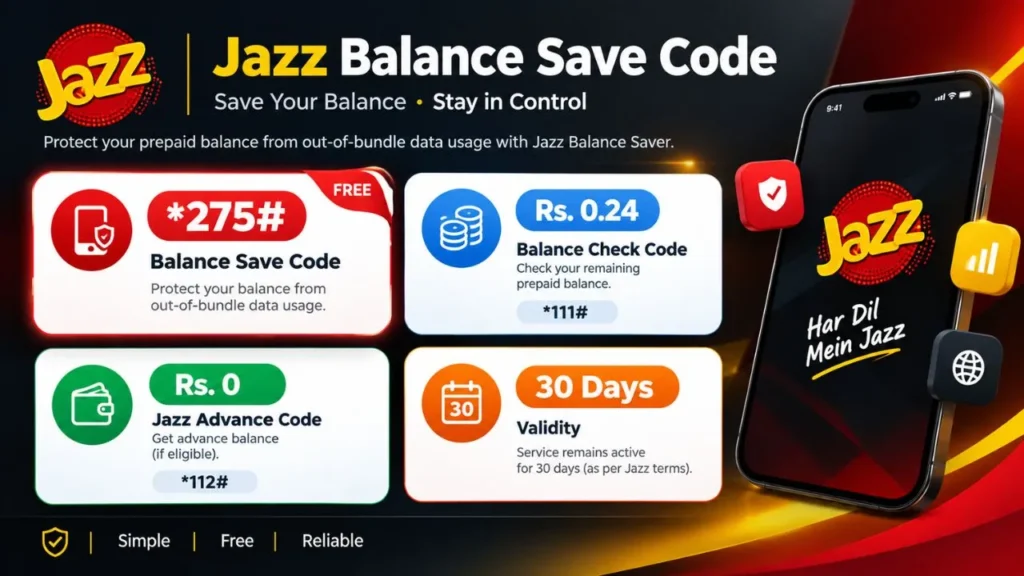
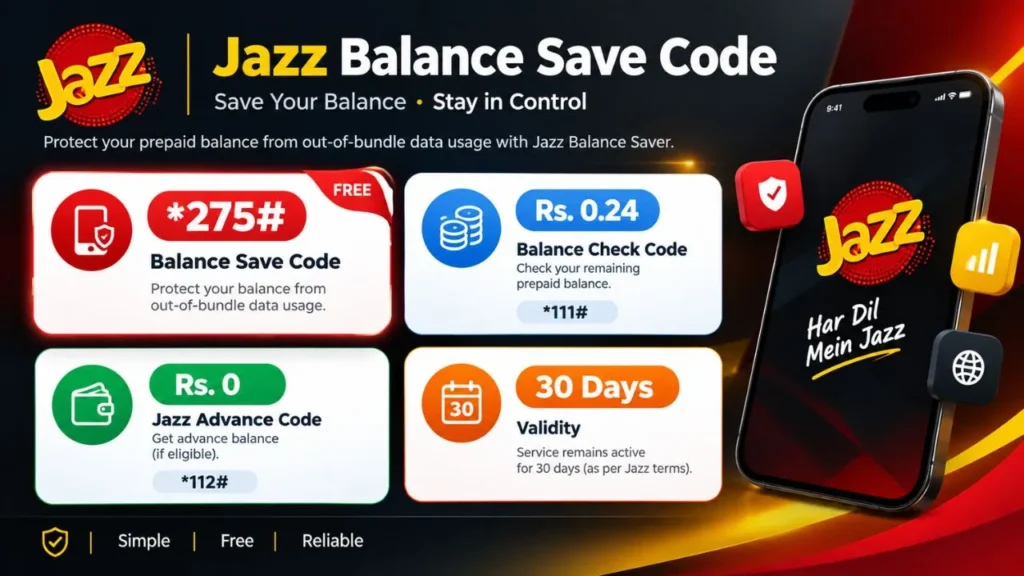
If your Jazz prepaid balance gets deducted when your internet bundle has finished, the Jazz Balance Save Code is *275#
Dial *275# from your Jazz prepaid SIM and follow the instructions to subscribe to Jazz Balance Saver. Jazz currently lists this service as free and says it is designed to help prevent out-of-bundle data usage from deducting your prepaid balance.
Jazz Balance Save Code
| Service | Code | Purpose | Cost |
|---|---|---|---|
| Jazz Balance Saver | *275# | Helps prevent out-of-bundle data usage from deducting prepaid balance | Free |
| Jazz Balance Check | *111# | Check prepaid balance | Rs. 0.24 |
| Jazz Advance | *112# | Request Jazz Advance, if eligible | Service terms apply |
The important code for saving Jazz balance from out-of-bundle internet usage is:
*275#
This is the code to remember if your main problem is mobile data consuming your remaining prepaid balance after your internet bundle has ended.
How to Save Jazz Balance
Saving your Jazz balance is straightforward:
- Open the dialer on your mobile phone.
- Dial *275#
- Follow the instructions displayed on your screen.
- Wait for the confirmation message.
Jazz describes Balance Saver as a service for prepaid users in Pakistan.
Why should you activate Balance Saver?
The most common situation is simple:
You have a Jazz internet bundle → the bundle expires → mobile data remains switched on → your phone continues using mobile internet → out-of-bundle usage can start deducting your prepaid balance.
Balance Saver is intended to help protect your prepaid balance from this type of deduction.
How to Save Jazz Balance When Data Is ON
If you’re searching for “how to save balance in Jazz when data is on,” the issue is usually related to what happens after your included internet data is exhausted.
For example:
Your bundle expires → data remains ON → background apps use mobile data → out-of-bundle usage → prepaid balance can be deducted.
To reduce this problem:
- Activate Jazz Balance Saver using *275#.
- Keep track of your remaining data incentive.
- Check whether your internet bundle has expired.
- Turn mobile data off when you don’t need it.
- Review background data usage on your phone.
- Check active services if you notice unexpected deductions.
Balance Saver is specifically relevant to out-of-bundle data usage. It should not automatically be described as a universal block against every possible Jazz charge or subscription.
Why Does My Jazz Balance Keep Decreasing?
A disappearing Jazz balance does not always mean the Balance Saver service is the problem.
Common possibilities include:
1. Your internet bundle expired
You may still have mobile data enabled after your package has finished.
2. Background apps are using data
Applications such as social media, cloud backup, email and messaging services can communicate in the background.
3. You are using data outside your bundle
If your included data has been exhausted, normal out-of-bundle usage can affect your prepaid balance.
4. Another service is active
If the deduction is not related to internet usage, check your active subscriptions and usage history.
Jazz provides self-service options through SIMOSA, including account, usage and service-management features.
Jazz Balance Save vs Balance Lock
You may see searches such as:
- Jazz balance lock code
- how to lock Jazz balance
- how to lock balance in Jazz
- Jazz balance hide code
- Jazz balance saver code
These phrases are often used interchangeably by users, but the terminology matters.
The officially documented Jazz service relevant to protecting prepaid balance from out-of-bundle data usage is Jazz Balance Saver, activated through *275#.
Therefore, it is better to use the official service name rather than assume that every term such as “balance lock” or “balance hide” represents a separate Jazz service.
Jazz Balance Saver vs Doosra Balance
Another common search is Jazz Doosra Balance or Jazz secret balance code, often associated with *869#.
This should not automatically be presented as the same service as Jazz Balance Saver.
| Feature | Jazz Balance Saver | Doosra Balance |
|---|---|---|
| Common code searched | *275# | *869# |
| Main concept | Protecting prepaid balance from out-of-bundle data usage | Separate balance-related service/concept |
| Officially confirmed for Balance Saver | ✓ Yes | ✕ Do not assume it is the same |
| Should it be treated as Balance Saver? | ✓ Yes | ✕ No |
| Best approach | Follow current Jazz instructions | Verify current Jazz terms before relying on it |
If you specifically need information about Doosra Balance, check the current Jazz service information rather than relying on an old third-party code list.
Jazz Balance Save Code Not Working?
If *275# does not work, don’t immediately assume that the code has been changed.
Try these steps:
- Make sure you are using a Jazz prepaid SIM.
- Enter the code exactly as *275#
- Check that your phone has network coverage.
- Try the request again after a short time if the USSD session fails.
- Check current Jazz instructions if the service menu has changed.
- Contact Jazz if the problem continues.
Jazz currently lists 111 as the helpline for existing prepaid customers.
If the issue is an unexplained balance deduction, Jazz also recommends using its customer-support channels to investigate the deduction.
How to Check Jazz Balance
If you simply want to know your remaining Jazz balance, this is a different search intent from saving your balance.
Jazz currently lists *111# as one prepaid balance-check option.
You can also check account information through Jazz’s digital self-service options.
So remember:
Save/protect balance from out-of-bundle data: *275#
Check prepaid balance: *111#
These are different functions.
What About Jazz Advance?
“Jazz Advance” is another keyword that appears alongside balance-related searches, but it is not a balance-saving service.
Jazz currently lists *112# for requesting Jazz Advance, subject to eligibility and applicable service terms.
So don’t confuse:
- Balance Saver → protects against the specific type of out-of-bundle data deduction addressed by the service.
- Balance Check → tells you how much prepaid balance remains.
- Jazz Advance → provides an advance balance service for eligible customers.
Keeping these intents separate makes the information easier to understand.
How to Hide or Lock Jazz Balance
There is no reason to promise that a generic “balance hide code” will protect your money from every type of deduction.
If your actual concern is mobile internet consuming your prepaid balance after your package ends, start with Jazz Balance Saver (*275#).
If money is being deducted for another reason, investigate the actual deduction instead of applying an unrelated code.
You can check usage and active services through Jazz’s available self-service channels.
Frequently Asked Questions
Quick Answer
If you only came here for the code:
Jazz Balance Save Code: *275#
Dial it from your Jazz prepaid SIM and follow the instructions to activate the free Jazz Balance Saver service.
If your balance is still being deducted, don’t assume every deduction is caused by mobile data. Check your package status, usage and active services, then contact Jazz if necessary.
The key is to use the right solution for the actual type of deduction rather than relying on random “secret balance” or “balance lock” codes found on outdated pages.












2 Comments