
InPage 2009 Free Download for PC – Urdu InPage Professional
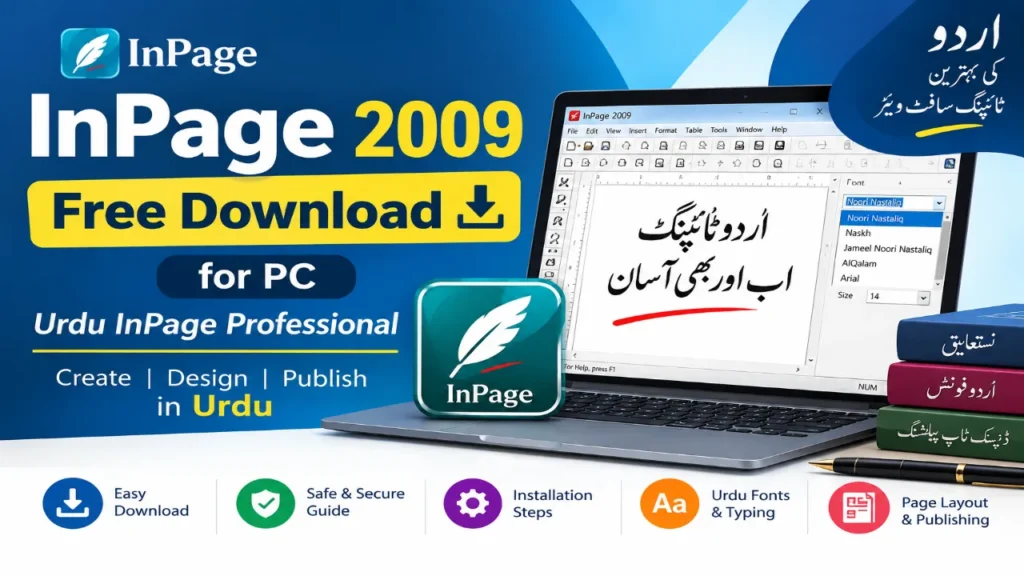
If you are looking for InPage 2009 free download, you are probably trying to do one of three things: find the older InPage Professional release, install it on a Windows PC, or open and work with an old Urdu document created in InPage.
InPage 2009 is best understood as a legacy desktop-publishing application associated with Urdu and other right-to-left scripts. It became especially useful for Urdu page layout, Nastaliq typography, books, newspapers, magazines, brochures and other publishing work.
Because it is an older release, downloading an installer is not the only issue. You should also check the version, source, licensing status, Windows compatibility, fonts and the condition of any old InPage files before installing it.
Quick Answer
InPage 2009 is an older version of InPage Professional used primarily for Urdu and other right-to-left publishing and typography workflows.
If you specifically need the 2009-era software, verify the installer source and licence before installing it. “Free download” does not automatically mean that an installer is freeware or legally redistributed.
For a modern project, a newer InPage release may be a better choice. For opening or maintaining an older InPage workflow, the legacy version may still be relevant.
InPage 2009 at a Glance
| Item | Details |
|---|---|
| Software | InPage Professional |
| Version | 3.0.5 is identified by third-party software databases for the InPage 2009 Professional listing |
| Category | Urdu / desktop publishing |
| Primary use | Urdu typing, typography and page layout |
| Platform | Windows |
| Main scripts | Urdu and other Perso-Arabic/right-to-left scripts |
| Common use | Books, newspapers, magazines, brochures and page-layout work |
| Status | Legacy software |
| Main consideration | Compatibility, licensing and source verification |
The exact version information should be treated separately from the broader “2009” naming used by download pages. Do not assume that every website using “InPage 2009” is referring to exactly the same installer.
What Is InPage 2009 Professional?
InPage is a desktop-publishing and page-layout application strongly associated with Urdu typography.
Its importance comes from the way it handles right-to-left scripts and traditional Urdu publishing workflows. Rather than functioning only as a basic text editor, InPage is designed around page composition, typography and publishing.
Typical projects associated with this type of workflow include:
- Urdu books
- Newspapers
- Magazines
- Brochures
- Flyers
- Posters
- Business documents
- Educational material
- Religious publications
- Urdu page layouts
The distinction matters because someone searching for InPage 2009 may not simply need “Urdu typing software.” They may need a program that preserves an older document, reproduces an established page layout or works with a traditional Urdu publishing workflow.
InPage 2009 Version and Release Information
The version information around older InPage releases can be confusing because download websites often use different naming conventions.
A third-party software database currently lists InPage 2009 Professional 3.0.5 as a Windows product and identifies it as commercial software.
That means you should not treat every website offering an “InPage 2009 free full version” as an authoritative source.
Before downloading an old installer, check:
- The exact product name.
- The version number.
- The publisher or software source.
- Whether the installer is original or modified.
- Whether the licence permits your intended use.
- Whether the file has been scanned for malware.
- Whether you actually need the 2009 release rather than a newer version.
This is especially important with old software because third-party download pages can continue circulating installers long after the original release.
Is InPage 2009 Free?
Not necessarily.
The phrase “InPage 2009 free download” describes what people search for; it does not establish that InPage 2009 Professional is freeware.
A useful distinction is:
| Term | What it means |
|---|---|
| Free download | The installer can be downloaded without an immediate payment |
| Free software | The software licence permits free use |
| Free trial | The software can be used under trial conditions |
| Commercial software | A paid licence is required for normal use |
| Unofficial mirror | A third party is distributing the installer |
| Archived installer | An older version preserved elsewhere |
For this reason, avoid assuming that a third-party “free download” button provides a legally free copy.
If licensing matters for your business, school, organisation or professional publishing work, verify the applicable licence before using the software.
Is InPage 2009 Safe to Download?
There is no responsible way to promise that every copy of an old InPage installer found online is “100% safe.”
The risk is not necessarily the original software itself. The bigger issue is that old installers may be repackaged, modified, bundled with unwanted programs or hosted on websites with unclear provenance.
Before opening an installer:
1. Check the source
Prefer a reputable publisher or clearly identifiable software source.
2. Check the file
Look at the filename, file size, publisher information and digital-signature information where available.
3. Scan the installer
Use your security software before running the setup program.
4. Avoid cracked or repacked copies
A modified installer can introduce risks that have nothing to do with the original InPage software.
5. Do not disable Windows security unnecessarily
If a website tells you to turn off security protection simply to install the software, treat that as a warning sign.
6. Back up important InPage files
If your main reason for installing InPage 2009 is to recover old documents, make copies of those documents first.
InPage 2009 System Requirements
Third-party listings provide historical system requirements for InPage 2009, but those specifications should not automatically be treated as an authoritative current compatibility guarantee.
The important practical point is that InPage 2009 is legacy software.
Before installation, consider:
- Your Windows version
- 32-bit or 64-bit environment
- Installation permissions
- Font availability
- Keyboard configuration
- Display scaling
- Compatibility settings
- Security software
- Your need for old document formats
If you need exact minimum hardware specifications for a deployment, verify them against a reliable historical software source rather than copying figures from another download blog.
Does InPage 2009 Work on Windows 10?
It may work in some Windows 10 environments, but compatibility should not be assumed for every PC.
The reason is simple: an older application was built for an earlier software environment, while Windows has changed its architecture, security behaviour and compatibility requirements over time.
If you have trouble running an old application, Microsoft recommends checking for an updated version from the publisher and using its Program Compatibility Troubleshooter when appropriate.
For InPage 2009, possible problem areas include:
- Installer permissions
- Fonts
- Keyboard settings
- Display behaviour
- Older application dependencies
- 32-bit/64-bit differences
- File compatibility
If the software installs but behaves strangely, troubleshoot the operating environment before assuming the InPage files themselves are damaged.
Does InPage 2009 Work on Windows 11?
Compatibility with Windows 11 should be treated as variable rather than guaranteed.
Microsoft notes that older applications can experience compatibility problems on newer Windows versions because of changes in operating-system architecture, security features and system requirements.
If you are trying to run InPage 2009 on Windows 11, start with the basics:
- Confirm that the installer is from a trustworthy source.
- Try the installation normally.
- Check Windows compatibility troubleshooting if the application does not run correctly.
- Check whether the problem is related to fonts or keyboard configuration.
- Keep a backup of important documents.
- Consider whether a newer InPage version would solve the problem more reliably.
If your primary requirement is opening an old document, you should also consider whether you can use a newer compatible workflow instead of maintaining a legacy installation.
How to Install InPage 2009 on Windows
If you have a legitimate installer and have verified its source, the basic installation workflow is straightforward.
Step 1: Prepare the installer
Save the installer in a known folder and scan it with your security software.
Step 2: Start setup
Open the installer and follow the setup program’s instructions.
Step 3: Choose the installation location
Use the default location unless you have a specific reason to change it.
Step 4: Complete installation
Allow the setup process to finish before launching the application.
Step 5: Open InPage
Start the program from the Windows Start menu or its installed shortcut.
Step 6: Configure your Urdu workflow
Check the keyboard and language settings you intend to use.
Step 7: Select a suitable font
Choose a font appropriate for the type of Urdu document you are creating.
Step 8: Create a test document
Type a short Urdu paragraph, apply formatting and save the file.
Step 9: Test an existing document
If you installed InPage specifically to work with older files, make a backup copy and test that copy first.
How to Type Urdu in InPage 2009
Urdu typing in InPage depends on more than simply installing the software.
Three things normally need to work together:
Keyboard → characters → font/layout
The keyboard determines which characters are entered. The font controls how those characters appear, while the application’s typography and right-to-left layout determine how the text is composed on the page.
When Urdu text looks wrong, check these areas individually rather than immediately reinstalling the software.
Urdu keyboard
Your keyboard layout should match the input method you are using.
If familiar Urdu letters are appearing in unexpected places, the issue may be the keyboard layout rather than the font.
Right-to-left writing
Urdu is written from right to left, so page layout and text direction are important when creating paragraphs, headings and columns.
Nastaliq typography
Nastaliq is one of the defining visual characteristics of traditional Urdu publishing.
For newspapers, books and literary material, Nastaliq-style typography can provide the appearance users normally associate with professionally typeset Urdu.
Best Urdu Fonts for InPage
Font selection depends on the document.
Nastaliq fonts
Nastaliq is generally suitable when the goal is traditional Urdu literary and publishing typography.
A commonly referenced name in the InPage ecosystem is Noori Nastaliq.
Naskh fonts
Naskh-style fonts can be more appropriate where readability, Arabic text or a different typographic appearance is required.
Quranic and specialised text
Religious or Quranic publishing may require specialised fonts and character handling. Do not assume that one font is automatically best for every project.
The useful decision is not simply “Which font is best?”
It is:
What are you publishing, who will read it, and what typographic style do you need?
InPage 2009 Features
InPage’s historical value comes from the combination of text handling and page-layout capabilities.
Text features
Depending on the version and workflow, users may work with:
- Urdu text
- Right-to-left scripts
- Nastaliq typography
- Text formatting
- Spell checking
- Character handling
- Kerning
- Kashida
- Word and character counts
Page-layout features
InPage can be used for page composition involving:
- Text boxes
- Columns
- Alignment
- Borders
- Page design
- Headers and footers
- Multiple page layouts
Image-related work
Publishing workflows may also require placing and adjusting images alongside text.
This is one reason InPage has historically been used for documents that need more control than ordinary word processing.
Publishing workflows
The software is associated with projects such as:
- Newspapers
- Books
- Magazines
- Brochures
- Posters
- Flyers
- Urdu educational material
What Can You Create With InPage 2009?
InPage 2009 is most useful when your project depends on Urdu typography and page composition.
Examples include:
Books:
Create multi-page Urdu publications with structured text and page layouts.
Newspapers:
Work with columns, headlines and Urdu typography.
Magazines:
Combine text, images and designed pages.
Brochures and flyers:
Create compact promotional documents.
Educational material:
Prepare Urdu worksheets, notes and teaching documents.
Religious publications:
Create Urdu and Arabic material where specialised typography matters.
Business documents:
Prepare Urdu notices, forms and printed communications.
The key advantage is not that InPage can replace every modern word processor. Its value is in specialised Urdu publishing and legacy workflows.
InPage 2009 Keyboard Shortcuts
Some common editing shortcuts are familiar from Windows applications:
| Shortcut | Function |
|---|---|
| Ctrl + B | Bold |
| Ctrl + C | Copy |
| Ctrl + V | Paste |
| Ctrl + X | Cut |
| Ctrl + P |
For version-specific InPage commands, use the documentation corresponding to the exact version you have installed. Do not assume that every shortcut listed on a generic InPage website applies identically to the 2009 release.
How to Open an Old InPage File
This is one of the most useful reasons to look for InPage 2009.
You may already have an old document and simply need to access its contents.
Before opening it:
- Make a backup copy.
- Identify the InPage version used to create it if possible.
- Try opening the copy rather than the original.
- Check whether the fonts used by the document are available.
- Look for layout or character differences after opening it.
- Save a new working copy after successful recovery.
If the document does not open correctly, the problem could be related to version compatibility, missing fonts or the document itself.
Do not overwrite the only copy of an old publication.
How to Convert InPage Text to Unicode
Conversion becomes important when you want to move Urdu content from an older desktop-publishing workflow into modern platforms.
Typical destinations include:
- Websites
- WordPress
- Microsoft Word
- Modern publishing systems
- Online documents
The basic workflow is:
InPage text → conversion → Unicode Urdu → modern application
Unicode is important because modern operating systems, browsers and applications rely heavily on Unicode text for cross-platform digital communication.
If your purpose is social media or web publishing, converting old InPage content to Unicode can be more practical than continuing to use the legacy application for every task.
Unicode to InPage
The reverse workflow can also be useful.
For example:
Unicode Urdu → compatible conversion workflow → InPage → page layout
This can be useful when you receive Urdu text from a website, Word document or another modern application but need to place it into an InPage publishing workflow.
Conversion quality can vary, especially with special characters, diacritics, punctuation and formatting. Always proofread the converted text.
InPage 2009 vs Newer InPage Versions
The choice between an old version and a newer release depends on your actual requirement.
| Consideration | InPage 2009 | Newer InPage |
|---|---|---|
| Legacy documents | Strong reason to use | Depends on compatibility |
| Modern Windows compatibility | More uncertain | Generally the better direction |
| Urdu publishing | Yes | Yes |
| Nastaliq workflows | Yes | Yes |
| Modern features | Limited compared with newer releases | More extensive |
| Old workflow preservation | Useful | Depends on file compatibility |
| New projects | Consider whether legacy software is necessary | Usually preferable to evaluate first |
If you are starting a new project, do not choose a 2009 release merely because an old download page calls it “full” or “best.”
If you are maintaining an archive of older Urdu documents, the decision is different.
Common InPage 2009 Problems and Fixes
InPage does not install
Possible causes include:
- Damaged installer
- Incorrect permissions
- Security software interference
- Windows compatibility issues
- Unsupported environment
Start by verifying the installer source and integrity.
Urdu letters appear incorrectly
Check:
- Keyboard layout
- Font
- Text direction
- Language settings
- Document compatibility
Do not assume the problem is caused by the software itself.
InPage crashes
Try:
- Restarting Windows.
- Checking compatibility settings.
- Reinstalling from a verified installer.
- Testing with a clean document.
- Testing whether a specific old file is causing the crash.
Fonts do not appear
Check whether the required font is installed correctly and whether InPage is able to access it.
If only one document has the problem, compare its font requirements with another working document.
Old InPage file will not open
Do not repeatedly overwrite or convert the original.
Make a backup and test the document with an appropriate InPage version. If necessary, investigate a conversion workflow.
InPage 2009 Alternatives
InPage is not the only way to work with Urdu.
Your best alternative depends on the task.
Microsoft Word
A modern word processor can be suitable when you mainly need Unicode Urdu text, documents and general formatting.
LibreOffice
LibreOffice can be considered when you want a modern office suite and Unicode-based document workflow.
Adobe InDesign
For professional page layout, InDesign can be a stronger modern publishing environment, although the workflow and Urdu setup differ from traditional InPage usage.
Modern InPage versions
If you specifically like the InPage workflow but need newer features or better current compatibility, evaluating a newer InPage release may make more sense than installing the 2009 version.
Is InPage 2009 free?
“Free download” does not necessarily mean freeware. The supplied competitor research identifies InPage 2009 Professional as commercial software, so verify the applicable licence before using a third-party installer.
Is InPage 2009 still available?
Older copies and references to the software can still be found online, but availability of a particular installer does not establish that the copy is official or legally redistributed.
Can I install InPage 2009 on Windows 10?
It may work in some environments, but compatibility is not guaranteed. Older software can experience problems on newer Windows versions.
Does InPage 2009 work on Windows 11?
Compatibility should be treated as variable. If you experience installation or runtime problems, use Windows compatibility troubleshooting and consider a newer version.
What is InPage 2009 Professional?
It is a legacy InPage desktop-publishing application associated particularly with Urdu and other right-to-left publishing and typography workflows.
Which font is best for Urdu typing in InPage?
There is no universal best font. Nastaliq fonts are commonly appropriate for traditional Urdu publishing, while Naskh and specialised fonts may be better for other documents.
Can InPage convert Urdu to Unicode?
Conversion workflows exist for moving InPage text into Unicode-based environments. The exact result depends on the source text, characters, formatting and conversion method.
Can InPage files be opened in newer versions?
They may be, depending on the file and version. Always keep a backup before converting or resaving an important legacy document.
Can I use InPage on Android?
The traditional InPage 2009 desktop workflow should not be confused with modern mobile or cloud-based tools. If you need mobile access, investigate the current official InPage ecosystem and alternatives rather than assuming that the 2009 desktop installer is a mobile application.
Is InPage better than Microsoft Word for Urdu?
For specialised Urdu page layout and traditional publishing workflows, InPage can be advantageous. For modern Unicode documents, collaboration and general office work, Microsoft Word may be more convenient.
How do I install InPage 2009?
Use a legitimate, verified installer, scan it before installation, complete the setup process and then test Urdu typing, fonts and an appropriate document.
What is the difference between InPage 2009 and newer versions?
The 2009 release is a legacy environment. Newer versions can provide a more modern feature set and should generally be considered for new projects, while the older version may remain useful for historical documents and established workflows.
Final Recommendation
If you are searching for InPage 2009 free download, first decide why you need the old version.
If you need to:
- Recover an old Urdu document
- Preserve a legacy publishing workflow
- Work with an older InPage project
- Reproduce a familiar Urdu page-layout environment
then InPage 2009 may be relevant.
If you are starting a new project, however, compare the legacy release with a current InPage version or a modern Unicode-based workflow before installing old software.
Mostly freelancers in pakistan and printing press companies use this inpage 2009 verison for their graphics in urdu content and arabic calligraphy etc.
Most importantly, don’t judge an InPage 2009 download by the word “free” in the title. Check the version, source, licence, security and compatibility first.
That approach is safer and more useful than simply downloading the first installer that appears in search results.
For more useful information visit: https://pakistanitechnama.pk/