MEPCO Online Bills Check 2026 – View, Download & Print
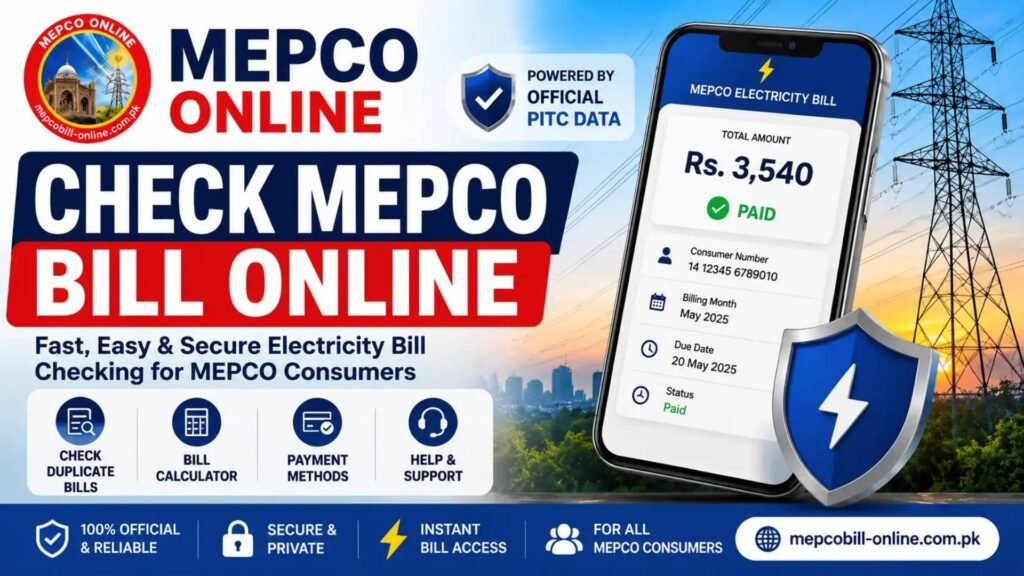
Need to check your MEPCO online bills? You can use your bill identification details to access the latest electricity bill, review the bill amount, due date, meter reading and other billing information, and then save or print a duplicate copy.
For the official billing record, use the PITC Web Bill service. This guide explains how to check a MEPCO bill, where to find the reference number, how to download or print the bill, how to understand common bill fields, and what to do when your bill does not appear.
Important: Pakistani TechNama is an independent information website. It is not affiliated with MEPCO, PITC or the Government of Pakistan. For official billing records, verify your information through the official billing service.
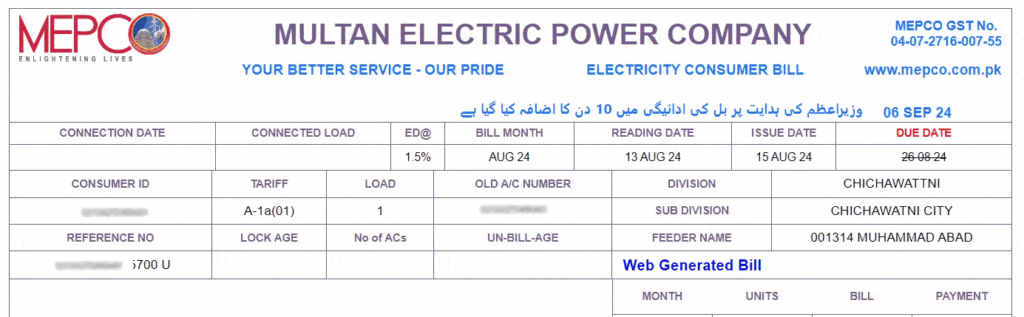

Official billing service: PITC Online Electricity Bill Service
How to Check MEPCO Bill Online
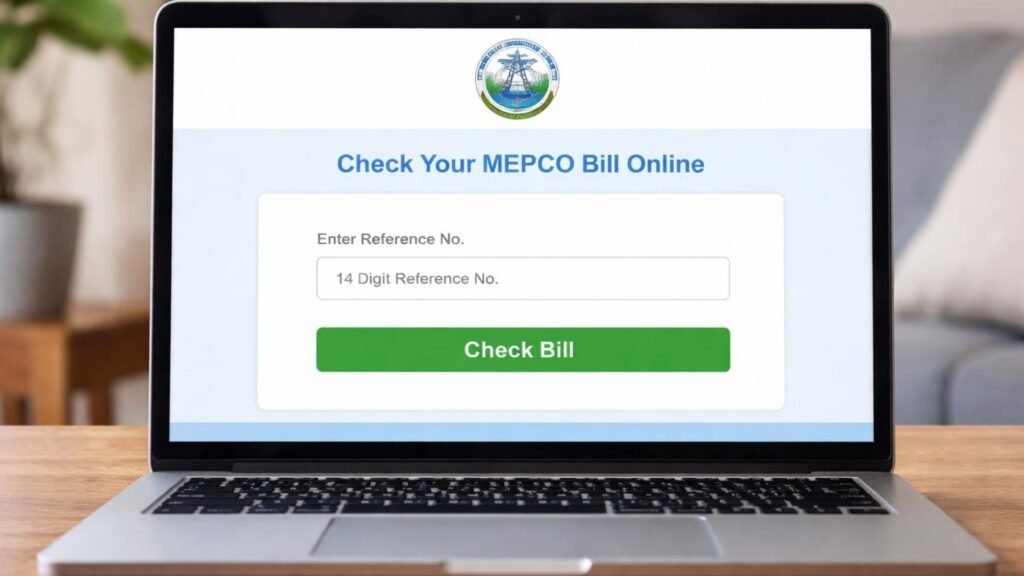
Checking a MEPCO electricity bill online is straightforward when you have the required bill identifier.
Step 1: Find your MEPCO Reference Number
Take a previous MEPCO electricity bill and locate your Reference Number. It is one of the main identifiers used for online bill lookup.
Step 2: Enter your bill details
Enter the required number into the MEPCO bill-checking form. Make sure every digit is correct and avoid adding unnecessary spaces or characters.
Step 3: View your bill
Submit the information to open your bill. Once the bill is available, review the billing month, meter reading, units consumed, due date and payable amount.
You can then use the available print or download option to keep a duplicate copy for your records.
Quick MEPCO Bill Checklist
| What You Need | Why It Matters |
|---|---|
| Reference Number | Used to identify the electricity bill/account |
| Customer ID | Alternative customer identifier where supported |
| Billing Information | Helps verify that the displayed bill belongs to the correct connection |
| Internet Connection | Required for online bill access |
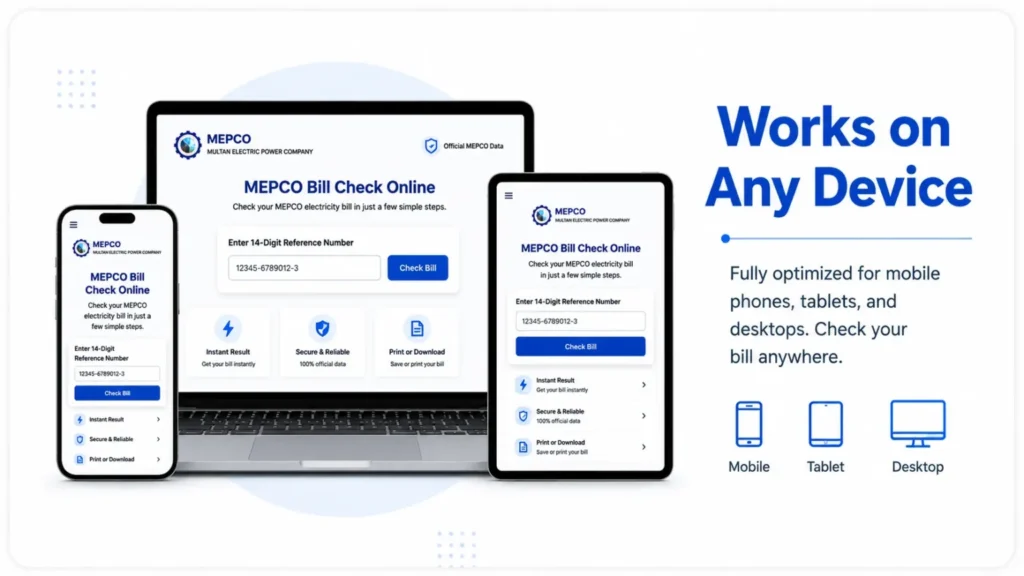
| Mobile or Computer | Either can be used to view the bill |
MEPCO Online Bill Using 14-Digit Reference Number
The 14-digit reference number is one of the most important search terms around MEPCO online bill checking because many users arrive specifically looking for where to enter this number.
Before submitting the number, check it carefully against your previous bill.
Common input mistakes include:
- Missing one or more digits
- Entering digits in the wrong order
- Copying additional spaces
- Using a number from a different electricity connection
- Confusing the reference number with another number printed on the bill
If the number is rejected, recheck the original bill before assuming that the billing system is unavailable.
Where Can I Find My MEPCO Reference Number?
Your MEPCO Reference Number can be found on your electricity bill.
When looking at an old bill, identify the section containing your account or consumer information. Do not assume that every number printed on the bill is the reference number.
Other numbers may include:
- Customer ID
- Consumer number
- Meter number
- Connection information
- Billing-related identifiers
For the most reliable result, compare the identifier with the number requested by the current official billing interface.
MEPCO Bill Using Customer ID
Some MEPCO bill-checking interfaces also provide a Customer ID option.
A Customer ID is different from simply copying any number from the electricity bill. If the billing form specifically asks for Customer ID, use the Customer ID shown for your connection.
Because online billing interfaces can change, use the identifier currently supported by the billing service rather than relying on an old third-party instruction.
This distinction is important because competitor pages sometimes describe reference numbers and customer identifiers inconsistently. The safest approach is to follow the fields presented by the current billing portal.
How to Download MEPCO Duplicate Bill
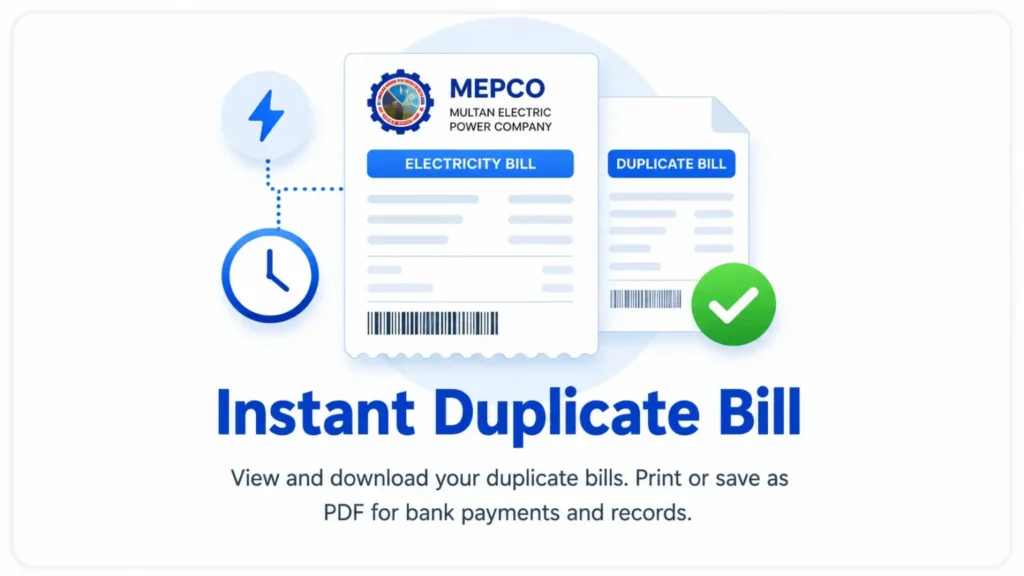
If you need a MEPCO duplicate bill, first retrieve the bill online.
The general process is:
- Open the MEPCO/PITC billing service.
- Enter the required bill identifier.
- View the available bill.
- Use the browser’s print or download function where provided.
- Save the duplicate bill as a PDF if you need a digital copy.
A downloaded duplicate is useful when the original paper bill has been lost, damaged or is not available.
For payment or official record purposes, always verify that the bill belongs to the correct electricity connection before using it.
How to Print MEPCO Bill
You can print your MEPCO online bill after opening it.
On a computer
Open the bill and select the print option. You can normally choose your connected printer or select Save as PDF if you want a digital copy instead.
On a mobile phone
Open the bill in your mobile browser and use the browser’s sharing or printing options if supported by your device.
Before printing, check:
- Reference Number
- Customer information
- Billing month
- Due date
- Payable amount
- Meter reading
This helps prevent printing or saving the wrong bill.
How to Pay MEPCO Bill Online
Online payment options can change over time, so payment instructions should always be checked against current official information.
MEPCO’s official material confirms that online payment and duplicate-billing facilities are part of its customer-service ecosystem.
Before paying, verify the:
- Electricity provider
- Reference Number or customer identifier
- Billing month
- Amount payable
- Due date
Do not rely on an unofficial website claiming that it is the official MEPCO payment portal.
How to Check MEPCO Bill Payment Status
If you have already paid your MEPCO bill but the status appears unchanged, first check the payment information and the bill record carefully.
Look for:
- Bill status
- Amount paid
- Billing month
- Payment date
- Outstanding amount
- Any remaining arrears
A payment record may not always be reflected immediately across every system. If the status remains incorrect, use the appropriate official customer-support channel and keep your payment receipt or transaction reference.
Do not assume that an online display automatically proves that a payment has failed.
How to Read Your MEPCO Electricity Bill
A MEPCO bill contains much more information than the final amount.
Understanding the major fields makes it easier to identify an unexpectedly high bill or check whether the displayed information matches your connection.
| Bill Field | What It Tells You |
|---|---|
| Reference Number | Identifier associated with the bill/account |
| Customer ID | Customer or consumer identification information |
| Meter Number | Identifies the electricity meter |
| Billing Month | Period for which the bill was issued |
| Previous Reading | Earlier meter reading |
| Current Reading | Latest meter reading used for billing |
| Units Consumed | Electricity consumed during the billing period |
| Tariff | Applicable electricity pricing category/rate |
| Electricity Charges | Charges associated with electricity consumption |
| Taxes | Applicable taxes and government-related charges |
| FPA | Fuel-related adjustment where applicable |
| Arrears | Previous unpaid amount carried forward |
| Due Date | Date associated with payment without applicable late-payment consequences |
| Payable Amount | Amount shown for payment |
| Late Payment Surcharge | Additional amount that may apply after the relevant due date |
The exact bill layout and individual charges can change, so the actual bill remains the authoritative record for your connection.
What Are Units Consumed on a MEPCO Bill?
Units consumed generally represent the electricity usage recorded for the billing period.
The bill uses meter readings to determine consumption. A simplified way to understand the calculation is:
Current Meter Reading − Previous Meter Reading = Consumption
However, the final electricity bill is not necessarily just a simple multiplication of units by one fixed price. Tariff structure, applicable adjustments, taxes and other charges can affect the amount payable.
That is why two consumers with different connection characteristics or billing circumstances can receive different bills even when their consumption appears similar.
MEPCO Bill Amount and Due Date
Two of the most important pieces of information on your online bill are the:
Bill Amount: the amount currently shown as payable.
Due Date: the payment deadline displayed on the bill.
Always check the current bill rather than relying on the amount or due date from a previous month.
If you have an older bill saved on your phone or computer, make sure you are not accidentally using its amount for the current billing cycle.
MEPCO Bill Not Showing? Try These Solutions
Sometimes users enter their details but the expected bill does not appear.
1. Check the number again
Review every digit of the Reference Number or Customer ID against the original bill.
2. Remove unnecessary spaces
If you copied the number from another source, make sure no unwanted spaces or characters were included.
3. Check that you selected the correct provider
MEPCO is one of Pakistan’s electricity distribution companies. If the connection belongs to another distribution company, its billing service may be different.
4. Try again later
Temporary technical problems can prevent a billing record from loading.
5. Check whether the bill has been generated
If a new billing cycle has not yet been processed, the latest bill may not be available.
6. Contact official customer support
If the identifier is correct and the problem continues, contact MEPCO through its official customer-service channels.
Avoid entering your billing information into an unknown website simply because it promises to retrieve the bill.
MEPCO Bill Paid but Still Showing Unpaid
If you recently paid your electricity bill and the online status has not changed, keep your payment receipt or transaction record.
Check:
- Payment date
- Paid amount
- Reference Number
- Transaction/reference ID
- Billing month
If everything is correct but the bill status remains incorrect, contact the relevant official support channel for verification.
MEPCO’s published customer-service information lists 118 and 0800-63726 for online complaints/customer support.
How to Check an Old MEPCO Bill
If you need a previous electricity bill, first check whether the billing system or account service provides access to billing history.
An old bill can be useful for:
- Comparing monthly electricity usage
- Checking previous meter readings
- Reviewing earlier payable amounts
- Confirming a previous Reference Number
- Investigating a billing discrepancy
- Keeping financial records
If an older bill is not available through the current online interface, contact MEPCO or use the official service channel appropriate for your request.
Do not assume that every third-party website can retrieve historical bills.
MEPCO – Online
Free, Fast and Secure
Specially built for MEPCO electricity consumers. No logins, no fees, no delays
MEPCO Bill Calculator
A MEPCO online bill calculator can be useful for estimating electricity costs based on consumption and applicable tariff information.
However, an estimate should not be treated as the same thing as your official electricity bill.
A calculator may depend on variables such as:
- Units consumed
- Connection category
- Applicable tariff
- Slabs
- Taxes
- Adjustments
- Other applicable charges
Because tariff structures and government-approved charges can change, any calculator should be based on current official tariff information and clearly labeled as an estimate.
MEPCO Service Areas
Multan Electric Power Company (MEPCO) operates across 13 administrative districts of Southern Punjab. MEPCO’s official information identifies these districts as:
- Multan
- Muzaffargarh
- Layyah
- D.G. Khan
- Rajanpur
- Lodhran
- Bahawalpur
- Rahim Yar Khan
- Khanewal
- Sahiwal
- Pakpattan
- Vehari
- Bahawalnagar
MEPCO’s official history page confirms the 13-district service territory, while its annual report provides the same geographic coverage.
This means searches such as MEPCO Multan bill check, MEPCO Bahawalpur bill, MEPCO Sahiwal bill and similar location-based queries can relate to the same distribution company when the electricity connection falls within MEPCO’s jurisdiction.
MEPCO Customer Support and Complaint Options
For billing problems that cannot be resolved through online checking, use official MEPCO support channels.
MEPCO’s published telephone directory lists:
Customer Service Contact: 0800-63726
It also states that customers can contact 118 or 0800-63726 for online complaints.
When contacting support about a billing issue, keep the following information available:
- Reference Number
- Customer ID
- Meter Number
- Billing month
- Amount shown on the bill
- Payment receipt, if applicable
- Description of the problem
Providing the correct account information can make it easier for the relevant office to identify the connection.
MEPCO Bill Taxes, FPA and Other Charges
The total amount on an electricity bill can contain several components rather than only the basic electricity consumption charge.
Depending on the applicable billing rules and the particular bill, users may encounter terms such as:
- Electricity charges
- Government taxes
- GST
- FPA
- Tariff-related adjustments
- Surcharges
- Arrears
- Late payment surcharge
Do not assume that a charge appearing on one bill will have the same value on every future bill.
For questions about a specific charge, compare the bill details with current official information or ask MEPCO customer support.
MEPCO Peak and Off-Peak Hours
Peak-hour information can be relevant for consumers whose tariff or metering arrangement uses time-based electricity rates.
However, peak-hour schedules can depend on the applicable tariff and current utility instructions. Do not use an old third-party timetable as a universal rule for every MEPCO connection.
For current schedules and utility notices, consult official MEPCO information.
How to Find Out Which Electricity Company Serves You
Pakistan has multiple electricity distribution companies, so entering a bill into the wrong provider’s service can lead to confusion.
If your connection is in MEPCO’s documented Southern Punjab service territory, MEPCO may be the relevant distribution company.
Other distribution companies serve different geographic areas.
For this reason, confirm the company printed on your electricity bill before attempting an online bill check.
Frequently Asked Questions
How can I check my MEPCO bill online?
Use the official billing service and enter the identifier requested by the current interface, such as your Reference Number or supported Customer ID. After the bill loads, review the amount, due date and billing details.
What is the MEPCO 14-digit reference number?
It is a bill/account identifier printed on the electricity bill and commonly used for online bill lookup. Enter it exactly as shown on your bill.
Where can I find my MEPCO Reference Number?
Look at a previous MEPCO electricity bill and locate the field labeled Reference Number. Do not confuse it with the meter number or another customer identifier.
Can I check my MEPCO bill using Customer ID?
If the current billing interface provides a Customer ID option, you can use the Customer ID associated with your connection. Follow the identifier requested by the current official service.
Can I download a duplicate MEPCO bill?
Yes, after retrieving the bill online, you can generally use the available print/download functionality to save a copy, subject to the current billing interface.
How can I print my MEPCO bill?
Open the retrieved bill and use the print option. On a computer, you can also select a PDF printer such as “Save as PDF” when available.
Can I check my MEPCO bill without a Reference Number?
The available lookup methods depend on the current billing service. If Customer ID is offered as an alternative, you can use that identifier instead.
How can I check my MEPCO bill due date?
Open the current bill and look for the Due Date field. Do not rely on the due date from an older bill.
What should I do if my MEPCO bill does not appear?
First verify the Reference Number or Customer ID. If the details are correct, try again later and check whether the latest bill has been generated. For persistent problems, contact official MEPCO support.
How can I check my MEPCO bill payment status?
Review the bill or payment record for its current status. If a recently paid bill still appears unpaid, keep your payment receipt and contact the appropriate official support channel.
Can I check an old MEPCO bill?
Historical bill availability depends on the current billing system and account records. If an old bill is not available online, contact MEPCO through its official customer-service channels.
Is MEPCO the same as WAPDA?
MEPCO is a power distribution company operating in Southern Punjab. It is not simply another name for the general WAPDA organization. MEPCO operates its own distribution territory and is licensed by NEPRA for electricity distribution in that territory.
Which areas does MEPCO serve?
MEPCO’s official information identifies 13 districts of Southern Punjab, including Multan, Bahawalpur, Sahiwal, Vehari, Khanewal, Rahim Yar Khan, Muzaffargarh, D.G. Khan, Rajanpur, Layyah, Lodhran, Pakpattan and Bahawalnagar.
What is the MEPCO customer-service number?
MEPCO’s published telephone directory lists 0800-63726 as a customer-service contact and also identifies 118 for online complaints.
The easiest way to handle your MEPCO online bill is to start with the correct bill identifier, retrieve the current bill, verify the billing information and then download or print the copy you need.
But checking the bill is only one part of the process. If you understand your Reference Number, Customer ID, meter reading, units consumed, tariff, taxes, adjustments, arrears, due date and payable amount, you can identify billing issues more easily and make better decisions about payment.
For official billing records, always verify important information through the official MEPCO/PITC service rather than relying solely on third-party information websites.
Last reviewed: September 2026
Primary official references: MEPCO and PITC billing services.